Best Laptops for Students in 2026 — By Major and Budget
The right student laptop depends more on your major than your budget — here's what to buy for each.
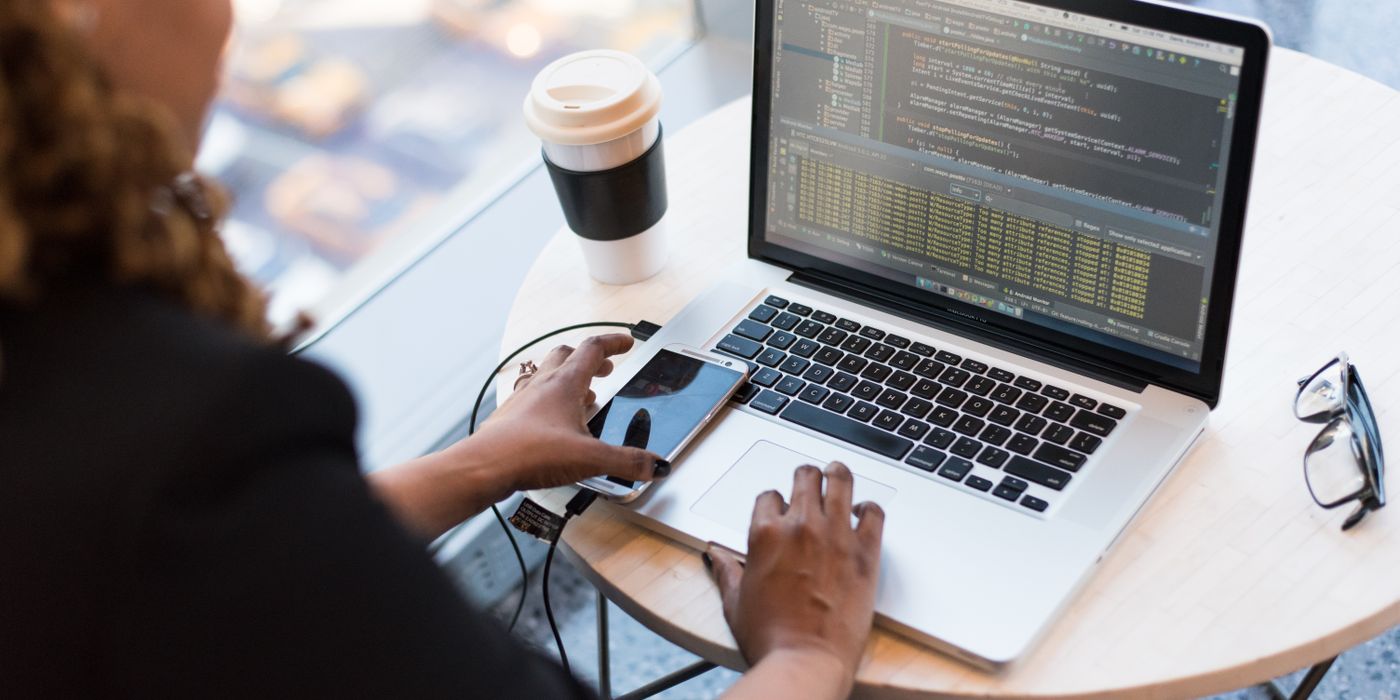
Most laptop buying guides rank by price tier and call it done. The problem is that a humanities student and a computer science student have almost nothing in common in terms of what their laptop actually needs to do. Major and workflow matter more than budget bracket. This guide organizes picks by use case first, then by price, so you can find the right machine for your situation rather than the most popular machine in your price range.
Major matters more than price
Before looking at any specs, answer one question: does your program require specific Windows-only software? Architecture programs often require Revit. Some engineering courses require Windows-only simulation tools. Some chemistry and biology programs use lab software with no Mac version. If the answer is yes, a Mac is the wrong choice regardless of how good the hardware is. Ask a current student in your program before buying.
Beyond software requirements, your major predicts your actual compute needs with reasonable accuracy. Humanities, business, and social science students are browser, document, and communication app users. Engineering, CS, architecture, and video production students run software that taxes RAM, CPU, and sometimes GPU in ways a basic laptop cannot handle. Spending more than you need is a waste. Spending less than you need means a slow machine by sophomore year.
At a glance
| MacBook Air M3 13" | Dell XPS 13 Plus | Lenovo IdeaPad Slim 5 | Lenovo Chromebook Duet 5 | MacBook Pro 14" M3 Pro | ASUS ROG Zephyrus G14 | |
|---|---|---|---|---|---|---|
| Price | ~$1,099 | ~$999-1,399 | ~$500-699 | ~$400 | ~$1,999 | ~$1,499 |
| Weight | 2.7 lbs | 2.8 lbs | 3.3 lbs | 2.0 lbs | 3.5 lbs | 3.8 lbs |
| Battery (real-world) | ~18 hrs | ~10-12 hrs | ~10-12 hrs | ~14-16 hrs | ~15 hrs | ~5-7 hrs |
| RAM | 8-24GB | 16-64GB | 8-16GB | 8GB | 18-36GB | 16-32GB |
| Storage | 256GB-2TB | 512GB-2TB | 256GB-1TB | 128-256GB | 512GB-4TB | 512GB-1TB |
| OS | macOS | Windows 11 | Windows 11 | ChromeOS | macOS | Windows 11 |
| GPU | Integrated (M3) | Intel Integrated | AMD Integrated | Integrated | M3 Pro integrated | AMD RX 7600S |
| Best for | Most students | General / light creative | Budget-conscious | Web-only workflows | Engineering / CS / design | Gaming + school |
MacBook Air M3 — best overall for most students
The MacBook Air M3 is the default recommendation for the majority of students because it solves the most common student laptop problem: battery life. An 18-hour real-world battery means you leave the charger in your dorm. Lectures, library sessions, commutes -- the machine simply does not die on you. At 2.7 pounds with no fan, it is genuinely comfortable to carry all day.
- Battery that actually lasts: 18 hours in real-world use is not a marketing claim here -- independent testing consistently backs it up. The M3 chip is extraordinarily efficient. This alone makes the MacBook Air worth its price for commuter students and anyone who studies away from outlets.
- Silent operation: no fan means no noise. In a library or quiet lecture hall, this matters more than you might expect. It also means the chassis never gets hot during normal use.
- macOS for university work: iCloud syncs notes and documents seamlessly across iPhone, iPad, and Mac. Handoff lets you start a document on your phone and finish it on your laptop. The quality of Mac-native apps -- Notability, Things, Tot, Craft -- remains meaningfully higher than Windows equivalents for study workflows.
- M3 performance: the chip handles web browsing, word processing, spreadsheets, Zoom, light photo editing, Python scripting, and even moderate video editing without strain. It is not a gaming machine, and it will slow down under sustained heavy compilation, but for 80% of students it is more than enough.
- Get 16GB RAM: the base 8GB model will feel slow within two years. Spending the extra $100-200 on 16GB at purchase is strongly worth it; RAM cannot be upgraded later.
- Limitations: no touchscreen, gaming performance is limited, and the price is a real barrier. No Windows compatibility without Parallels (which adds cost and complexity).
Dell XPS 13 Plus / XPS 15 — best Windows laptop
The Dell XPS line is the Windows answer to the MacBook Air: premium build quality, a genuinely excellent display, and a thin chassis that does not feel cheap. The XPS 13 Plus in particular pushes Windows ultrabook design about as far as it goes, with a haptic touchpad, capacitive function row, and an OLED display option that embarrasses most competitors.
- Display quality: XPS OLED options deliver deep blacks and accurate colors that are difficult to find at this price on Windows. For media consumption, reading, and light creative work, it is a genuinely excellent panel.
- Build quality: CNC-machined aluminum, tight tolerances, and a keyboard that holds up to heavy daily use. This is not a budget machine pretending to be premium.
- Windows software compatibility: if your major requires Windows-only software, the XPS is the premium path. Full compatibility without workarounds.
- Limitations: battery life trails the MacBook Air noticeably -- expect 10-12 hours in mixed use, less under heavier loads. Runs hot under sustained CPU load, which is noticeable on a desk even if less obvious in the hand. Thermal management is the XPS's persistent weak point.
Lenovo IdeaPad Slim 5 / Flex 5 — best budget option
If $500-699 is your real budget and you need Windows, the Lenovo IdeaPad Slim 5 or Flex 5 with an AMD Ryzen 7 processor is where the value lives. AMD's Ryzen 7 series at this price point genuinely outperforms Intel competition by a meaningful margin, and Lenovo's build quality at this tier is consistently better than similarly priced alternatives from other brands.
- Ryzen 7 performance: AMD's integrated graphics and multi-core performance at this price tier is the strongest it has ever been. For documents, web apps, light coding, and media consumption, a Ryzen 7 IdeaPad handles university workloads without frustration.
- Flex 5 touchscreen: the Flex models add a 360-degree hinge and touchscreen for note-taking with a stylus. If you prefer handwritten notes digitally, the Flex 5 is one of the few budget options with a usable touch + stylus experience.
- Battery: 10-12 hours in real-world use is reasonable for this price bracket. Not MacBook Air territory, but workable for a full class day.
- Limitations: build quality is good for the price but not premium. The chassis flex is noticeable. Storage speeds on base configurations can be slow -- verify the specific configuration's SSD type before buying. Avoid the 8GB RAM configurations if possible.
Lenovo Chromebook Duet 5 / ASUS Chromebook Flip — best Chromebook
ChromeOS is underrated for a specific student profile: anyone whose entire workflow lives in Google Docs, Sheets, Slides, web apps, and a browser. If that describes you, a Chromebook at $400-500 offers better battery life than most Windows laptops at twice the price, nearly zero malware exposure, and simplicity that requires no maintenance. If that does not describe you -- if you need any Windows-specific software -- a Chromebook is the wrong choice entirely.
- Battery: ChromeOS's efficiency means 14-16 hours of real battery life on the Duet 5. For students who need an all-day device without a charger, this matches the MacBook Air at a fraction of the price, within the constraints of the platform.
- Security: ChromeOS is the most secure consumer operating system in mainstream use. Sandboxed apps, verified boot, and automatic updates mean almost zero maintenance burden. The laptop that just works every time you open it.
- Limitations: useless for engineering, architecture, science labs, or any program requiring Windows or Mac software. Limited offline capability for complex tasks. Android app support fills some gaps but not all.
MacBook Pro 14" M3 Pro — best for engineering and CS students
Engineering and CS students who push their machines need headroom that the MacBook Air cannot provide. Heavy compilation, running Docker containers, managing virtual machines, and driving external monitors simultaneously will eventually surface the Air's thermal limits. The MacBook Pro 14" M3 Pro has a fan, a significantly more powerful chip, and more memory bandwidth -- the things that matter for compute-intensive workflows.
- Sustained performance: the M3 Pro chip maintains full speed under sustained load. Xcode builds, Docker, VS Code with heavy extensions, and concurrent processes do not cause the throttling that affects the fanless Air under similar conditions.
- Memory: 18GB unified memory in the base configuration handles most engineering workloads. 36GB is available for students running large VMs or datasets. Unlike the Air, memory bandwidth is also higher, which affects GPU-accelerated workloads.
- ThinkPad X1 Carbon as an alternative: if you prefer Linux -- and many CS programs do -- the ThinkPad X1 Carbon has legendary Linux compatibility. Driver support, suspend/resume reliability, and community documentation are the best available on a laptop at this price. It is not as fast as the M3 Pro, but Linux compatibility without fighting drivers is a meaningful advantage for some workflows.
- Limitations: the MacBook Pro is $1,999 at entry. That is a real number. For students whose programs require Windows-specific engineering software, it is the wrong choice regardless of performance.
MacBook Pro 14" M3 / Surface Laptop Studio 2 — best for design and art students
Adobe Creative Suite runs exceptionally well on Apple Silicon. Photoshop, Illustrator, Premiere Pro, and After Effects are all native on M3 and benefit from the unified memory architecture. For design students who live in Adobe apps, the MacBook Pro 14" M3 (the standard M3, not M3 Pro) is often sufficient and saves $400 over the Pro chip.
- Display quality: the MacBook Pro 14" has a Liquid Retina XDR display with ProMotion 120Hz. For design work where color accuracy and sharpness matter in your primary screen, this is among the best laptop panels available at any price.
- Adobe performance: M3 chips run Photoshop and Premiere faster than comparable Windows laptops due to hardware-accelerated video decode and the unified memory architecture. For video editors specifically, export times are noticeably shorter than competing Windows machines at the same price.
- Surface Laptop Studio 2 as an alternative: at ~$1,999, Microsoft's Surface Laptop Studio 2 adds a touchscreen and Surface Slim Pen 2 support -- useful for illustration students who prefer direct stylus input on screen. It is heavier and Windows-based, making it the right call specifically when you need a stylus workflow and Windows compatibility.
ASUS ROG Zephyrus G14 / Razer Blade 14 — for gaming + school
Gaming laptops ask you to make a clear trade: battery life and weight in exchange for discrete GPU performance. The ASUS ROG Zephyrus G14 is the best version of that trade -- AMD Ryzen 9 processor, dedicated AMD Radeon GPU, and a chassis that is thinner and lighter than most gaming laptops while still being heavier than anything else on this list.
- Gaming capability: the discrete GPU handles modern games at 1080p-1440p at playable framerates. If gaming is genuinely part of your daily life, not just an occasional thing, this is the only category that makes sense.
- School use is real: the Zephyrus G14 is not a dedicated gaming machine that happens to run Word. It is a legitimate productivity laptop with better-than-average CPU performance for non-gaming tasks. CS students who also game have found it a workable compromise.
- Limitations: 5-7 hours battery life in real-world use means you carry the charger. At 3.8 pounds plus the power brick, it is noticeably heavier than the alternatives. If you are not gaming regularly, the weight and battery penalty are not worth it.
Key specs to check before buying
- RAM -- 16GB minimum: 8GB will feel slow by your second year as browsers, apps, and operating systems increase their baseline consumption. 16GB is the practical floor for 2026. Engineering, video editing, or VM-heavy workloads benefit from 32GB. Buy as much as you can configure at purchase -- most laptops do not allow RAM upgrades after the fact.
- Storage -- 512GB minimum, 1TB preferred: operating system, apps, documents, and downloads fill 256GB faster than expected, especially if your program involves large project files. 512GB is workable with cloud storage discipline. 1TB gives you room to not think about it.
- Display -- 1080p minimum, 1440p+ preferred: you will stare at this screen for thousands of hours over four years. 1080p on a 13-14 inch screen is fine. On a 15-16 inch screen, 1440p or higher is noticeably crisper for extended reading and text work.
- Battery -- aim for 10+ hours claimed: real-world battery is roughly 70% of the manufacturer's claimed figure under mixed use. A laptop claiming 14 hours delivers about 10 in practice. Plan accordingly. Gaming laptop battery claims are optimistic by an even wider margin.
- Weight -- under 3 lbs is portable, 4-5 lbs is a desk laptop: if you carry your laptop to campus every day, weight matters significantly over a semester. A laptop that stays mostly on a desk can trade weight for other specs.
What to avoid
- Chromebooks for technical majors: if your program requires AutoCAD, Revit, MATLAB, specialized simulation software, or any Windows-only tools, ChromeOS cannot run them. This is a hard limit, not a workaround situation.
- Budget Windows laptops under $400: poor build quality, slow eMMC storage, and underpowered processors combine to make these machines frustrating within months. A $400 Windows laptop from an unknown brand is a worse purchase than a $500 IdeaPad or a $600 refurbished MacBook Air.
- Gaming laptops as your only machine for non-gaming majors: too heavy for daily carry, too hot for desk use, and the battery life makes them impractical away from an outlet. Unless gaming is a genuine daily use case, the trade-offs do not make sense for campus life.
Buying tips
- Student discounts: Apple Education Store, Dell University, and Microsoft Student programs offer $50-200 off standard pricing for enrolled students. Verify your eligibility before paying full price -- these are not obscure programs, but many students miss them.
- Back-to-school sales: August is the best month to buy a student laptop. Most major manufacturers run $100-200 promotions targeting the back-to-school window. Waiting until September means paying full price for the same hardware.
- Apple certified refurbished: Apple's official refurbished store sells previous-generation MacBook Air and MacBook Pro models at 15-20% discounts with a standard one-year warranty. A refurbished MacBook Air M2 at $850 is frequently the best value in the MacBook lineup.
Who should pick which
The verdict
For most students: MacBook Air M3 at $1,099 (configure to 16GB RAM) is the laptop that solves the most problems for the widest range of student workflows. Battery that lasts all day, a build quality that holds up for four years, and software that integrates well with how university students actually work.
On a tight budget: Lenovo IdeaPad Slim 5 with Ryzen 7 at $500-699 is where Windows value actually lives in 2026. Avoid configurations with 8GB RAM or eMMC storage -- the Ryzen 7 with 16GB and an NVMe SSD is a meaningfully different machine from the base configurations.
For technical majors: MacBook Pro 14" M3 Pro if your program runs on macOS-compatible software, or a ThinkPad X1 Carbon if Linux is your preferred environment. Neither is cheap, but both are machines that will not slow you down when it matters.