Best Smart Home Devices in 2026 — Start Here, Not With a Hub
Smart plugs and a good speaker first — the devices that deliver real value without turning your home into an IT project.
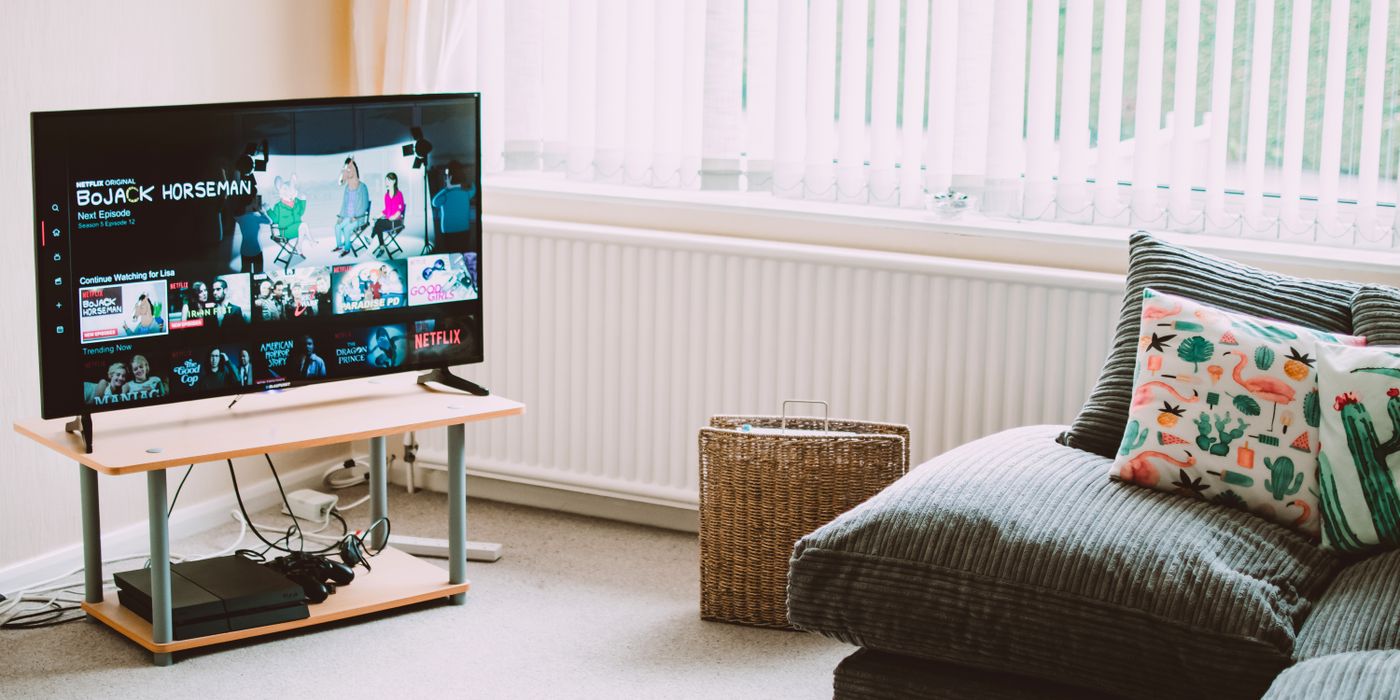
The most common smart home mistake is buying a hub before you know what you want to control. Start with individual devices that solve a real problem — a smart plug that cuts phantom power draw, a speaker that lets you set a timer without touching your phone, a thermostat that stops heating an empty house — and the rest follows naturally. The people who end up with a genuinely useful smart home didn’t plan it all upfront. They started simple and only added complexity when they ran into a problem they wanted to solve.
Pick your ecosystem first
Smart home devices talk to each other through an ecosystem — Amazon Alexa, Google Home, or Apple HomeKit. Pick one that matches the devices you already own and stick to it. Mixing ecosystems works but creates friction: separate apps, separate voice assistants, automations that don’t cross the divide cleanly.
- Amazon Alexa: the most compatible ecosystem. The widest device support by a significant margin. Best pick if you don’t have a strong preference — more devices work with Alexa than with anything else.
- Google Home: better if you rely on Google Calendar, Google Maps, or already use Android heavily. Music playback quality is slightly better than Alexa at comparable price points.
- Apple HomeKit: the most private option — Apple’s architecture keeps data on-device where possible. Best for households where everyone uses iPhone. Fewer compatible devices than Alexa, but the ones that work, work reliably.
- Matter (the new open standard): a cross-industry protocol backed by Amazon, Google, Apple, and Samsung that lets devices work across ecosystems without manufacturer lock-in. It’s genuinely important and already supported by many 2024–2026 devices. The caveat: device support is still uneven, and older gear won’t be updated. Buy Matter-compatible devices going forward — it future-proofs your purchases against ecosystem shifts.
At a glance — category picks
| Category | Top pick | Price | Runner-up | Price |
|---|---|---|---|---|
| Smart Speaker | Echo Dot (5th gen) | ~$50 | HomePod Mini | ~$99 |
| Smart Plug | Kasa EP25 | ~$15–20 | TP-Link Kasa EP10 | ~$10 |
| Smart Bulb | Philips Hue White | ~$15/bulb | IKEA Tradfri | ~$8/bulb |
| Thermostat | Ecobee SmartThermostat | ~$180 | Google Nest Thermostat | ~$130 |
| Security Camera | Eufy SoloCam E40 | ~$80 | Ring Stick Up Cam | ~$100 |
| Video Doorbell | Ring Video Doorbell 4 | ~$120 | Eufy Video Doorbell | ~$100 |
Smart speakers and hubs
A smart speaker is usually the right first purchase — it gives you a voice interface for everything you add later. They’re inexpensive, low-stakes, and immediately useful for timers, music, and quick questions even before you connect any other smart devices.
- Echo Dot (5th gen, ~$50): the best value entry point in this category. Sound quality is noticeably better than previous generations — genuinely good for a bedroom or kitchen. Alexa’s breadth of device compatibility means almost anything you buy later will work with it. The 5th gen also includes a temperature sensor and a built-in motion sensor, which enables basic automations without additional hardware.
- Google Nest Mini / Nest Audio: the Nest Audio (~$100) sounds better than a comparable-priced Echo and integrates naturally with Google Calendar, reminders, and YouTube Music. The right pick if your household runs on Google services. The Nest Mini (~$50) is functional but outclassed on audio by both the Echo Dot 5th gen and the Nest Audio.
- Apple HomePod Mini (~$99): the best-sounding device in this price category, full stop. Spatial audio and the integration with Apple Music, iMessage, and Handoff (seamlessly passing audio from your iPhone to the speaker) are genuinely differentiated. The tradeoff is hard ecosystem lock-in — it works best when everyone in the household uses iPhone and iCloud. HomeKit device selection is narrower than Alexa’s, but growing.
Smart plugs — the highest-ROI smart home purchase
If there’s one category where smart home technology delivers obvious daily value, it’s smart plugs. They work with any lamp, fan, or appliance that has a standard plug — no rewiring, no hub, no app beyond the initial setup. The use cases are immediately practical: lamp timers so you never come home to a dark house, appliance monitoring so you know your washing machine finished, and the permanent end of “did I leave the iron on?” as a recurring anxiety.
- Kasa EP25 (~$15–20): the straightforward recommendation. Works with Alexa, Google Home, and HomeKit. Energy monitoring shows real-time and historical power draw per device — useful for identifying phantom loads from entertainment centers, older appliances, and anything with a standby mode. Reliable hardware with firmware that gets updated. The TP-Link Kasa app is clean and doesn’t require a subscription for any feature.
- TP-Link Kasa EP10 (~$10): same reliable hardware, without the energy monitoring. The right pick if you just want scheduling and remote on/off without the energy data.
- What to do with them: put one on a lamp near your front door on a sunset-based schedule. Put one on your coffee maker so it turns on before your alarm goes off. Put one on your TV entertainment center to cut the 20–40W of standby power it draws around the clock. Each of these is a fifteen-minute setup that saves daily friction for years.
Smart bulbs
Smart bulbs are appealing because they’re cheap, colorful, and feel like a clear smart home upgrade. The honest assessment: they deliver less practical value than smart plugs unless you specifically want color scenes or wake-up lighting. If you just want a lamp you can turn on and off remotely, a smart plug on a regular bulb is cheaper and more reliable.
- Philips Hue (~$15/bulb for White, ~$50 for Color): the industry standard for a reason. Color accuracy is the best in the category, the Hue app is mature and stable, and compatibility is universal — every ecosystem, every major voice assistant, and the Hue Bridge (sold separately, ~$60) enables local control that doesn’t depend on cloud connectivity. The price is high but the hardware lasts. If you want smart bulbs and want to set them up once and forget about them, Hue is the pick.
- IKEA Tradfri (~$8/bulb): Matter-compatible from the factory, which means they work natively with Alexa, Google Home, and HomeKit without proprietary bridges. Significantly cheaper than Hue. The app is less polished, color options are limited compared to Hue Color, but for white-temperature bulbs that you want to dim or schedule, Tradfri is a reasonable choice at a fraction of the cost.
- Govee (~$8–15 for color): cheap color bulbs with good RGB capability. The tradeoff is a proprietary ecosystem — Govee uses its own app and its own cloud. Alexa and Google integration exists but isn’t as clean. Reports of bulbs losing connectivity after firmware updates are common enough to notice. Fine for low-stakes decorative use in a game room or bedroom; less suitable as your primary lighting throughout the home.
Smart thermostats
Smart thermostats are the one smart home device category where the ROI math is genuinely straightforward. HVAC accounts for roughly half of a typical home’s energy bill. A thermostat that learns your schedule and stops heating or cooling an empty house typically saves $100–200 per year. At $130–180, both devices below pay for themselves within two years on energy savings alone — before accounting for the convenience of not thinking about it.
- Ecobee SmartThermostat (~$180): the best overall smart thermostat. Comes with a remote room sensor, which solves the core problem with single-sensor thermostats: the main unit measures temperature at the thermostat, not where you are. With the Ecobee, you can set the bedroom sensor as the reference point at night and the living room during the day. Alexa is built into the device, so it also functions as a smart speaker. The energy reports are genuinely useful — weekly summaries show exactly how long your HVAC ran and compare it to local weather.
- Google Nest Thermostat (~$130): simpler and less expensive. The learning algorithm (which adjusts your schedule automatically based on when you manually adjust the temperature) works well and requires no configuration. The design — a round display with a metal ring — is the best-looking thermostat in this category. Works with Google Home and Alexa. The tradeoff versus Ecobee: no room sensors, no built-in speaker, and less granular data. For households who want a set-and-forget device without managing sensor placement, the Nest is the cleaner option.
Security cameras
The camera market has settled into a reasonably predictable pattern: pay more upfront for local storage, or pay less upfront and pay a monthly subscription for cloud storage. The subscription model costs $10–15 per camera per month over time, which adds up quickly. Factor the total three-year cost (hardware plus subscription) into your comparison.
- Eufy (by Anker, ~$60–120): the standout option for anyone who prioritizes privacy or wants to avoid ongoing costs. Eufy cameras store footage locally on the device or on a HomeBase hub — no subscription required for basic recording and playback. Image quality is solid at this price range. Eufy also supports HomeKit Secure Video, which processes footage on-device using Apple’s privacy framework. The tradeoff: fewer ecosystem integrations than Ring, and Eufy’s app is less polished.
- Ring (~$60–200): Amazon-owned, very popular, and deeply integrated with Alexa. The hardware is reliable and the Ring app is mature. The catch is the subscription: cloud storage for recordings costs $10 per month per camera (or $20/month for unlimited cameras). Without a subscription, you get live view only — no recordings. For a household already paying for Amazon Prime, a discounted Ring Protect plan is available, which changes the math somewhat.
- Arlo (~$100–300): the best video quality in the consumer camera category. 2K and 4K options with good low-light performance. The downside is price and subscription dependency — most Arlo features, including recording and intelligent alerts, require an Arlo Secure subscription (~$13/month per camera). Arlo makes sense for a single high-priority location where video quality matters more than cost.
- Blink (~$35–70): Amazon-owned like Ring, but focused on the low end. Battery-powered cameras with reasonable image quality and an affordable storage subscription ($3/month for all cameras). Limited features and less capable motion detection compared to Ring or Eufy. The right pick only if cost is the primary constraint.
Video doorbells
- Ring Video Doorbell 4 (~$120): the most popular video doorbell for good reason. Color pre-roll (captures a few seconds before motion triggers) reduces missed events. Easy installation, reliable push notifications, and the Ring ecosystem integrates with Alexa for doorbell announcements through Echo speakers. Subscription required for cloud recording storage.
- Eufy Video Doorbell (~$100): local storage, no subscription. Records to a HomeBase hub or an on-device MicroSD card. 2K image quality, solid app, and compatibility with Alexa and Google Home. The right pick if you want the Ring experience without the ongoing subscription cost.
- Google Nest Doorbell (~$180): the most distinctive option because it includes three hours of free event history without a subscription — a meaningful differentiator in a category where everyone else charges for cloud storage. Camera quality is high, HDR handles bright-sky/shadowed-face situations better than competing doorbells, and Google Home integration is seamless. Priced higher, but the total cost over two years (including no subscription) is competitive.
What not to buy first
- A dedicated smart home hub: hubs like SmartThings or Hubitat made sense before Matter existed. Today, your Echo, Nest WiFi Pro, or Eero router likely includes Thread and Matter support. Start with individual devices, add a hub only if you hit a specific capability gap.
- Cheap no-brand bulbs from Amazon: the pattern is consistent — low price, mediocre app, connectivity issues within six to twelve months, and app support that disappears when the company pivots or closes. The Philips Hue or IKEA Tradfri premium exists for a reason.
- A full Philips Hue starter kit before you try one bulb: the Hue ecosystem is excellent, but $200–300 for a starter kit with a bridge is a significant commitment. Buy two bulbs and use them for a month. If you actually use the scenes and scheduling, expand. Most people who buy the full kit use it as glorified on/off switches.
Matter and Thread — why the new standard matters
Matter is an open smart home standard co-developed by Amazon, Apple, Google, and Samsung. The core promise: a Matter-certified device works with every major ecosystem without proprietary bridges. Thread is the underlying low-power networking protocol that Matter devices use — it creates a mesh network of your smart devices so they communicate locally, without routing through the cloud.
The practical implication: when buying new smart home devices, prefer Matter-certified products. If your ecosystem changes — you switch from Alexa to Google Home, or move to a home with different hardware — Matter devices move with you. IKEA Tradfri, many 2025–2026 Kasa products, and most new smart home hardware from major brands now ship with Matter support. It’s not yet universal, but it’s becoming the default.
Privacy considerations
Smart speakers are always listening for a wake word. Security cameras are always recording or ready to record. This is the straightforward reality of how these devices work, and it’s worth understanding before you place them.
- Smart speakers: Amazon and Google process wake word detection and all voice commands on their servers. Apple HomePod processes most Siri requests on-device. If this distinction matters to you, HomePod is the privacy-forward pick. All three platforms allow you to review and delete your voice history.
- Cameras: cloud-connected cameras (Ring, Arlo) transmit and store footage on manufacturer servers. Eufy’s local storage model keeps footage on your hardware. If you’re placing cameras indoors, the local storage distinction matters more. For outdoor cameras, the cloud storage convenience trade-off is more reasonable.
- The practical approach: don’t place smart speakers in bedrooms if you have sensitive conversations you prefer private. Don’t place cameras anywhere you wouldn’t want footage reviewed by a third party. These are reasonable precautions rather than reasons to avoid the devices entirely.
The takeaway
The best starting point for most households is an Echo Dot and two Kasa smart plugs. Under $90, immediate practical utility, works with almost every device you might add later. If you want to save on energy bills, skip the speaker and go straight to an Ecobee thermostat — the ROI is faster and the impact is larger. If you’re an Apple household, the HomePod Mini with HomeKit-compatible accessories is the cleaner ecosystem fit.
Cameras and doorbells are worth adding once the basics are in place. When you do, the choice between Ring and Eufy comes down to one question: do you want to pay a monthly subscription for cloud storage, or pay more upfront for hardware that stores locally? The long-term cost difference over two to three years is significant enough to think it through before defaulting to the most marketed option.