Best Mechanical Keyboards in 2026
The mechanical keyboard market is drowning in top-50 listicles. Here is a short, honest shortlist across three budgets — plus what nobody tells you before your first purchase.
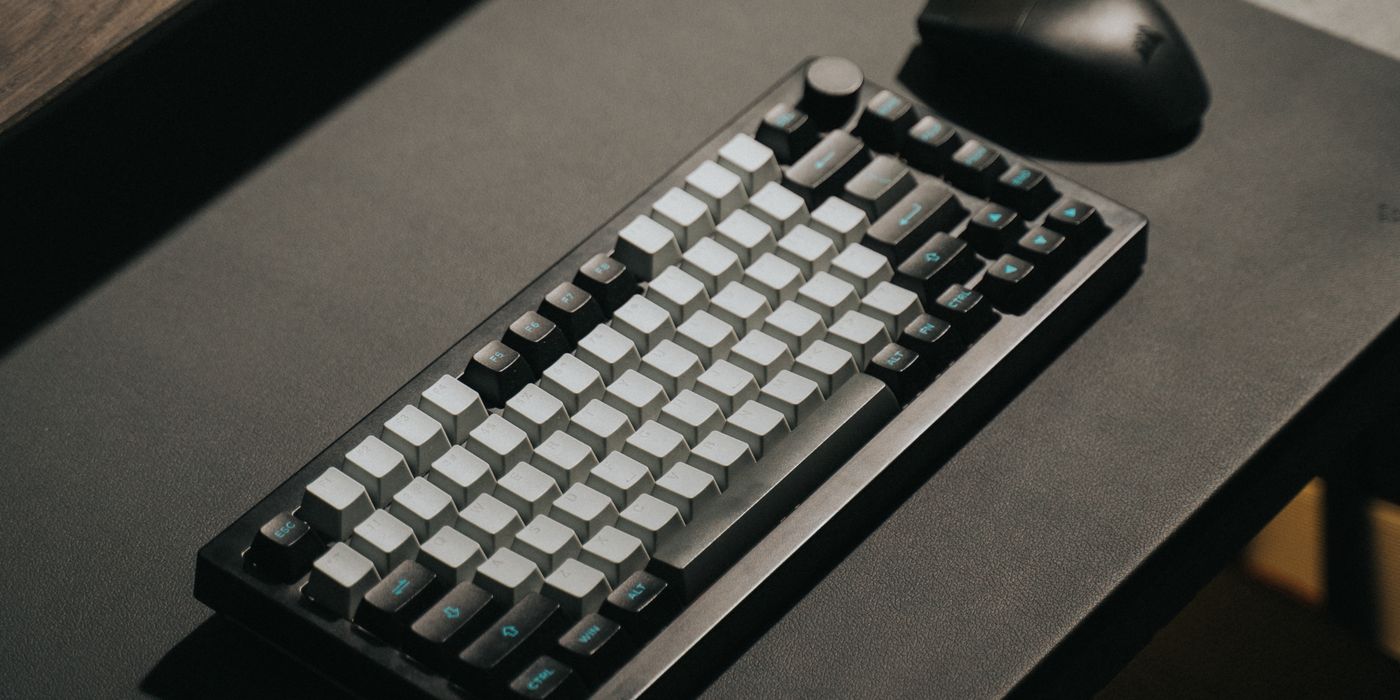
The mechanical keyboard market has quietly become one of the internet’s most spam-heavy categories. Every third result is a “50 best mechanical keyboards” post written by someone whose knowledge peaks at “this one is called RGB.” This is not that. Below is a short, opinionated shortlist across three budgets, plus the honest context nobody gives beginners before their first purchase.
What actually matters (short version)
- Switch type — the little components under each key. Linear (smooth, no bump) for typing speed. Tactile (small bump) for typing feel. Clicky (loud click) for the aesthetic, disliked by coworkers. Most keyboards come with red/brown/blue by default meaning linear/tactile/clicky.
- Size — Full size (with numpad) is huge. TKL (no numpad) is the sweet spot for most. 60% or 65% is compact but requires learning function-layer shortcuts.
- Wired vs wireless — wireless is fine now (Bluetooth 5.x + 2.4GHz dongles). Wired removes any battery concerns and is genuinely a bit faster.
- Hot-swappable — you can pull switches out without soldering. Matters if you want to experiment with switches later. Not needed if you know what you want.
- Sound — how a keyboard sounds when you type is 80% of the mechanical-keyboard experience. Videos exist for every keyboard; watch before buying.
Under $100 — the “my first mechanical” tier
Keychron C3 Pro (~$45)
Wired, TKL, quiet enough for office use, real Gateron switches. Widely considered the best cheap mechanical keyboard made. If your goal is “try a mechanical without spending real money,” this is it.
Royal Kludge RK61 (~$50)
Wireless 60% compact. Bluetooth + wired dual mode. Hot-swappable. Popular first-keyboard-for-programmers pick because it removes the numpad and arrow keys, forcing you to use the layer system — which people either love or immediately hate.
Logitech K845 (~$60)
Full-size, TTC brown switches, no RGB, boring in the best way. Reliable and disappears into a productivity workflow. Ideal if you want a mechanical without any “gaming” aesthetic.
$100-200 — the sweet spot
Keychron K2 Pro (~$110)
Wireless (Bluetooth + 2.4GHz), hot-swappable, aluminum frame, works with both Mac and Windows layouts. The best-selling “serious first mechanical” keyboard on the market. If you have $100-120, this is the safe pick.
Logitech MX Mechanical Mini (~$150)
Wireless, USB-C, quiet tactile switches, Logitech’s Flow feature (mouse + keyboard between multiple computers seamlessly). Popular in office environments because it looks professional. Not customizable — it’s a finished product, not a starting point.
NuPhy Air75 (~$120)
Ultra-thin low-profile wireless. Feels like a mechanical MacBook keyboard. If you find full mechanicals too tall or clunky, this is the compromise many typists love.
Investment tier ($200+) — for the people who go deeper
Keychron Q1 (~$180-220)
Fully custom-tunable, gasket-mounted aluminum, hot-swappable. Comes as a barebones kit (buy your own switches + keycaps) or fully built. This is where the mechanical keyboard hobby actually starts — every part swappable.
GMMK Pro (~$230)
Aluminum, hot-swappable, gasket-mounted, rotary knob. Ships as a barebones kit primarily. A darling of the hobbyist community because it’s a genuine building platform, not a finished product.
NuPhy Halo75 (~$180)
Full-size 75% layout, gorgeous typing sound out of the box, magnetic top plate. Feels like a $400 custom build but pre-assembled and ready to type on.
At a glance
| Keyboard | Price | Wireless | Hot-swap | Best for |
|---|---|---|---|---|
| Keychron C3 Pro | $45 | No | No | First mechanical, small budget |
| Royal Kludge RK61 | $50 | Yes | Yes | Compact 60% starter |
| Logitech K845 | $60 | No | No | Office-safe, boring in a good way |
| Keychron K2 Pro | $110 | Yes | Yes | Sweet-spot default recommendation |
| Logitech MX Mech Mini | $150 | Yes | No | Professional office setup |
| NuPhy Air75 | $120 | Yes | No | Low-profile Mac-adjacent typing |
| Keychron Q1 | $180-220 | Optional | Yes | Custom-tuning starter |
| GMMK Pro | $230 | No | Yes | Hobbyist custom-building platform |
| NuPhy Halo75 | $180 | Yes | Yes | Custom-feel without the assembly |
What to avoid
- Anything with 20 different RGB modes as the main selling point. The keyboard is a tool. Buy for how it types, not how it glows.
- Rubber-dome keyboards marketed as “mecha-membrane” or “semi-mechanical.” These are membrane keyboards with marketing. Real mechanical means individual switches per key.
- Amazon Basics-tier no-name mechanicals under $30. The switches are often the cheapest possible imitations that die within a year.
- Any keyboard whose top Google result is an affiliate roundup. If the marketing budget is bigger than the R&D budget, it shows in the typing.
Who should pick which
The takeaway
Skip the top-50 listicles. Pick from the shortlist above based on your budget. If you want the one-answer version: Keychron K2 Pro at ~$110. It’s the safest bet across every dimension — quality, wireless, hot-swap for later experimentation, works with any OS.
And do not treat your first mechanical as a lifetime commitment. Most enthusiasts have owned 3-6 by the time they know what they actually like. That’s normal. Buy something reasonable to start, and if the hobby grabs you, you’ll upgrade.